
Stock Alerts: Never Lose a Sale to a Stockout Again | Stokimba
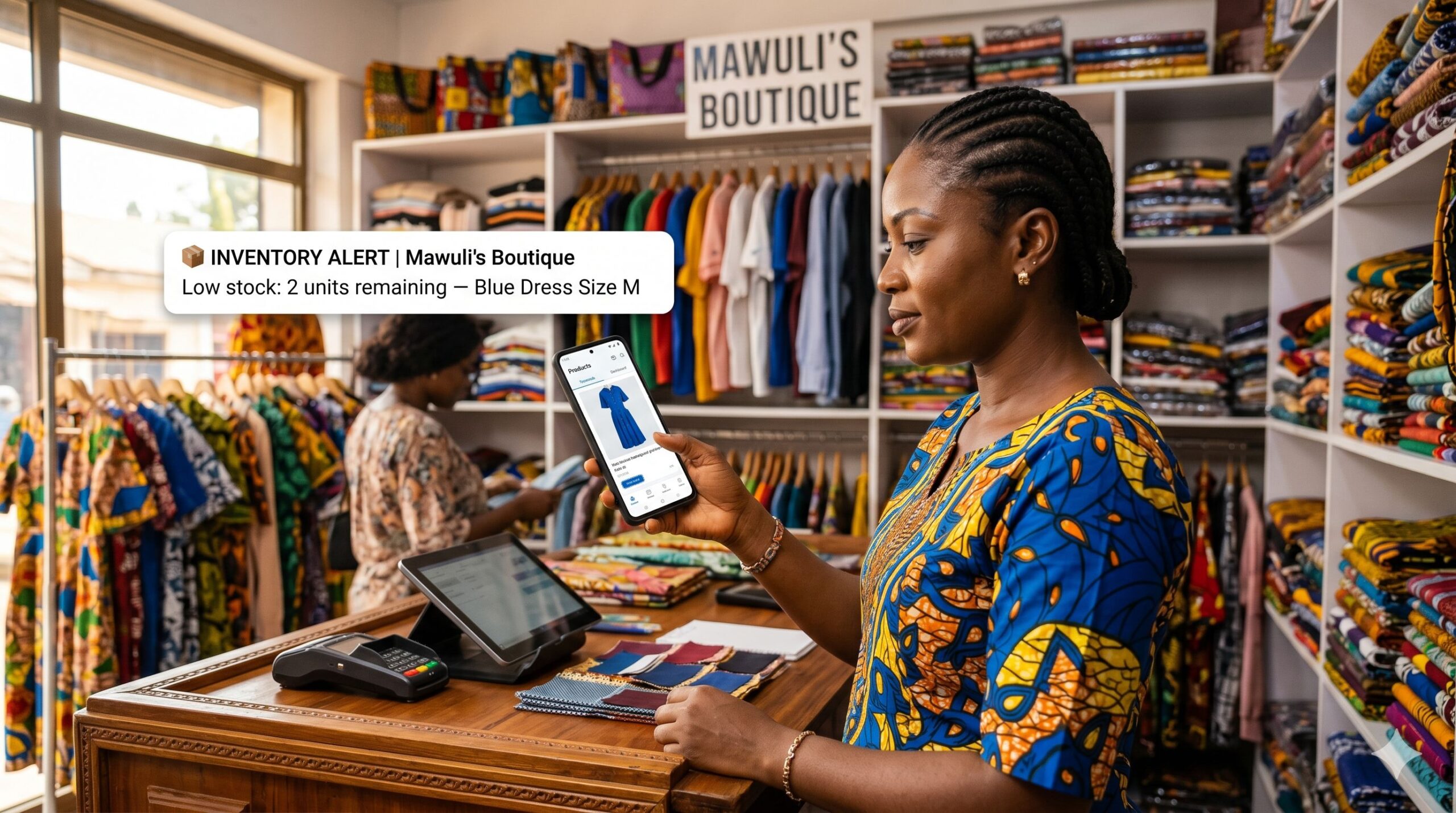
While you’re reading this, a product in your shop might be about to run out — and you don’t know it yet.
You find out about a stockout when the customer asks for the product. You check the shelf. Empty. The customer leaves. The sale is lost. And the worst part: it could have been avoided.
That’s the problem Stokimba Stock Alerts solve — permanently. Not by asking you to check your inventory every morning. By monitoring every single product for you, 24 hours a day, and sending you an alert the moment one of them hits your minimum threshold.
Monday Morning — The Reality Without Automated Alerts
You open your shop. A customer asks for your best-selling product. You look at the shelf — nothing. You check your backroom — nothing. You’ve been out of stock since Friday, but nobody told you.
Sound familiar? Here’s what that stockout really cost you:
- 🛒 A lost sale — the customer walked out empty-handed
- 😤 A frustrated customer — who may not come back
- 📉 Revenue not recovered — the sale happened at your competitor’s shop
- ⏱️ Emergency restock time — calls, trips, urgent orders at bad prices
A stockout you didn’t see coming doesn’t just cost you one sale. It costs you a customer relationship.
Monday Morning — The Same Day with Stokimba Stock Alerts
You’re notified on Friday afternoon: “Low stock — Blue Dress Size M: 2 units remaining.” You reorder before closing. By Monday morning, restock is on its way. The customer walks in, finds their product. They buy. They come back.
The sale was never at risk.
What Are Stokimba Stock Alerts?
Stokimba Stock Alerts is an automated monitoring system built directly into the app. It watches every product in real time and sends you an instant notification the moment stock drops below the minimum threshold you’ve set — without any manual action from you.
🔔 Instant Notification When It Matters
The moment a product’s stock drops to or below your minimum threshold, Stokimba sends you an alert. On your phone. Wherever you are. You’re always the first to know — never the last.
🎯 Configurable Threshold Per Product
Every product has its own rhythm. A fast-moving item needs a higher alert threshold than a slow-moving one. With Stokimba, you set the minimum stock level for each product individually. The alert fires exactly when you need it — not too early, not too late.
🤖 24/7 Monitoring — Fully Automatic
Stokimba monitors your entire inventory in the background, permanently. You don’t have to check anything manually. No daily inventory count. No checking spreadsheets. The system works while you focus on selling.
📊 Centralised Alert Dashboard
All active alerts appear in a single dashboard. Filter by shop, by product category, or by alert priority. At a glance, you know exactly which products need attention — and which ones are fine.
🔗 Native Integration with the Rest of Stokimba
Stock alerts are connected to every other module: sales at the POS, delivery confirmations, stock movements. When a sale is recorded or a delivery is confirmed, stock levels update instantly — and the alert system reacts in real time. No configuration needed. It just works.
Who Is Stokimba Stock Alerts For?
👤 The Solo Shop Owner
You manage everything alone: sales, restocking, customer relations. You can’t afford to waste time manually counting stock every day. Stokimba does it for you — and alerts you only when action is needed.
👥 The Owner With Multiple Shops
Managing stock across 2, 3 or 5 shops simultaneously is impossible to do manually. With Stokimba, all alerts from all your shops appear in one dashboard. You see everything. You miss nothing.
🏭 The Supplier or Wholesaler
Your retail clients run out of your products without warning — and call you in a panic for an urgent delivery. Recommend Stokimba to your clients. Their restocking becomes predictable. Your deliveries become planned, not emergency.
Stokimba vs. Manual Monitoring: The Honest Comparison
| Feature | 📋 Manual monitoring | ✅ Stokimba |
|---|---|---|
| Automatic low-stock detection | No | Yes — real time |
| Instant push notification | No | Yes — on your phone wherever you are |
| Configurable threshold per product | No | Yes — individually per product |
| 24/7 monitoring without manual action | No | Yes — fully automatic |
| Centralised alert dashboard | No | Yes — filterable by shop and category |
| Works across multiple shops | No | Yes — all alerts in one place |
| Integrated with sales and deliveries | No | Yes — updates in real time |
| Zero daily manual stock count required | No | Yes — the system handles it |
The Real Cost of a Stockout
Most merchants underestimate the cost of a missed stockout alert. Here’s a simple calculation:
A boutique with 30 customers per day and a 5% stockout rate loses approximately 1.5 sales per day. At an average basket of 5,000 FCFA, that’s 7,500 FCFA per day — 225,000 FCFA per month — lost to stockouts that could have been prevented.
Stokimba Stock Alerts eliminate that loss. One alert, one reorder, one sale saved.
Frequently Asked Questions
How do I set up a stock alert for a product?
Go to the product in Stokimba’s inventory, click “Edit”, and set your minimum stock threshold in the dedicated field. From that moment, Stokimba monitors that product automatically and sends you an alert if stock drops to or below that level.
Where do I receive the alert?
Stokimba sends a push notification directly to your phone — Android or iPhone — wherever you are. All active alerts also appear in the centralised alert dashboard inside the app.
Can I set different thresholds for different products?
Yes. Each product has its own configurable minimum threshold. A fast-moving product can have a threshold of 10 units; a slow-moving one can have a threshold of 2. You decide what triggers the alert for each product individually.
Does the alert system work across multiple shops?
Yes. If you manage multiple shops on Stokimba, all stock alerts from all your shops appear in a single centralised dashboard. You can filter by shop to focus on a specific location.
Is stock updated automatically after a sale?
Yes. Every sale recorded at the Stokimba POS, every confirmed delivery, and every manual stock movement updates inventory levels in real time. The alert system reacts instantly to every change.
What if I want to ignore an alert temporarily?
You can acknowledge an alert in the dashboard to mark it as seen, without triggering a reorder. The product will continue to be monitored and will alert you again if stock drops further.
Does the alert system work offline?
Stokimba is a Progressive Web App that works on mobile. Alerts are delivered when your device has connectivity. If you’re offline briefly, alerts will sync as soon as you reconnect.
Which plan includes Stock Alerts?
Basic stock alerts are available on the free plan. Advanced features — multi-shop dashboard, alert history, and priority filtering — are available from the Starter plan.
Which Plan Includes Stock Alerts?
Basic stock alerts are available from the free plan. Advanced features (multi-shop dashboard, alert history export, priority filtering) are available from the Starter plan.
👉 See Stokimba plans and pricing
Conclusion: The Alert You Almost Missed Is the Sale You Almost Lost
In African retail, restocking speed is a competitive advantage. The merchant who knows about a low-stock situation on Friday — and restocks before Monday — never loses a customer to an empty shelf.
Stokimba Stock Alerts give you that advantage automatically, for every product, across every shop, 24 hours a day.
Try Stokimba for free today.
Prêt à simplifier votre gestion de stock ?
Rejoignez des milliers de commerçants en Afrique qui utilisent Stokimba au quotidien. Gratuit pour démarrer.