
Delivery Portal: Manage Every Delivery From One Screen | Stokimba
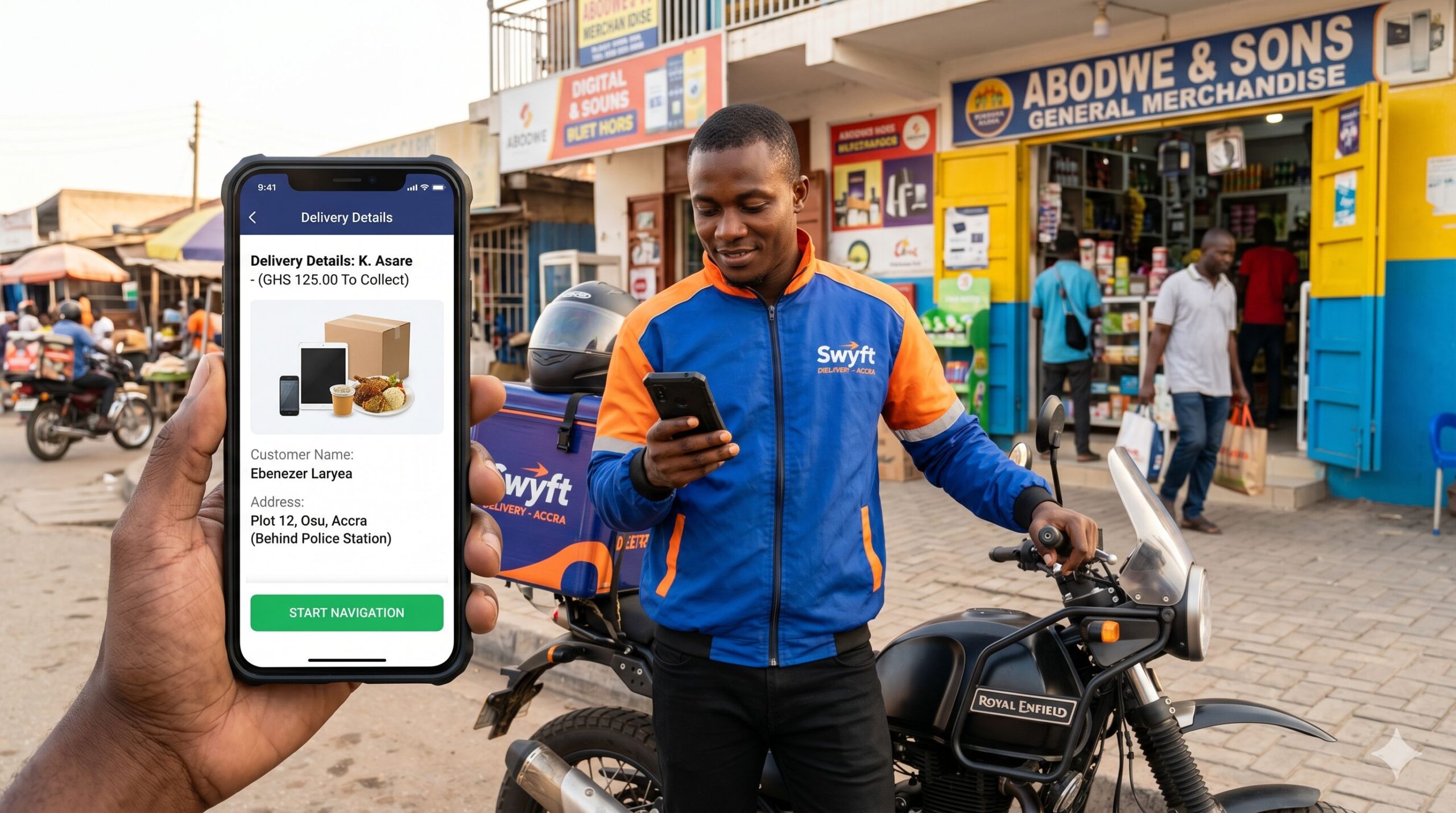
While you’re reading this, a delivery from your shop might be about to fail — and you don’t know it.
The driver doesn’t have the right number. Or the wrong address. Or he doesn’t know which product to pick up. Without the right tool, you won’t find out until the customer calls — angry.
That’s the problem the Stokimba Delivery Portal solves — permanently. Not by creating yet another WhatsApp group. By eliminating the need for WhatsApp entirely to coordinate your deliveries.
8 AM — The Reality Without a Delivery Management Tool
You open WhatsApp. 12 messages from the driver asking questions. 3 customers asking where their order is. A supplier waiting for confirmation. And your day hasn’t even started yet.
Sound familiar? Here’s what it’s really costing you:
- 🕐 30 minutes lost per day coordinating by message — that’s 15 hours per month
- 📦 1 failed delivery = 1 lost customer + re-delivery costs + damaged reputation
- 📂 Zero proof in case of a customer dispute: you can’t demonstrate anything
- 🧮 Hours of manual accounting at month-end to reconstruct delivery amounts
Logistical disorganisation doesn’t show up on your balance sheet. But it’s very real.
8 AM — The Same Day with Stokimba
You open Stokimba. All today’s deliveries are listed, assigned, with complete information. Your drivers don’t need to call you. You see everything. You control everything. Your day can begin.
What Is the Stokimba Delivery Portal?
The Delivery Portal is the logistics hub built directly into Stokimba. One screen — from your phone — to manage every aspect of your deliveries, from preparation to the final invoice.
📋 What Your Driver Sees Before Leaving
Your driver will never call you again asking for missing information. From their delivery card, they can see directly:
- 📷 The photo of the product to pick up
- 👤 The customer’s name and phone number
- 📍 The delivery zone with the exact address
- 💰 The exact amount to collect, delivery fees included
- 📝 Any special instructions you’ve added
They have no reason to call you. Zero WhatsApp. Zero unnecessary calls.
5 Real-Time Delivery Statuses
Every delivery follows a traceable, time-stamped journey:
- To prepare → The order has just been created
- Pending → Driver assigned, ready to leave
- In progress → Delivery en route
- Delivered → Confirmed, PDF invoice available immediately
- Cancelled → Stock automatically returned to inventory
You see the status of all your deliveries in real time, without calling anyone.
📞 Customer Contact in 1 Tap
On every delivery card, two buttons appear as soon as the customer has left their contact details:
- 📞 Call → Opens the phone dialler directly
- 💬 WhatsApp → Opens a conversation with a pre-written message: “Hello [First name], your order is on its way.”
No number to copy-paste. No message to type. One tap is all it takes.
🔒 Automatic Lock — Zero Fraud Possible
This is the feature nobody sees — and the one that protects you the most.
Every 30 seconds, Stokimba checks for expired deliveries. If an order has exceeded its deadline, it is automatically locked. No driver can modify its status after the fact. Only the administrator can unlock it.
Every action is time-stamped. Every confirmation is final. Nothing gets erased.
In case of a dispute, you have proof. Irrefutable.
🧾 Automatic PDF Invoice
The moment a delivery is confirmed as “Delivered”, the PDF invoice is generated automatically. It contains:
- The unique order number
- The full list of products and quantities
- Pre-tax amounts, delivery fees and total to collect
- Your shop’s information
- The confirmation date and time
Professional document, legal proof, downloadable in one click. Zero disputes possible.
🔄 Cancellation With Automatic Stock Return
A delivery doesn’t go through? One button is all it takes to cancel. Products are automatically returned to your shop’s stock. You don’t have to do anything manually. Your inventory stays accurate at all times.
Who Is the Stokimba Delivery Portal For?
👤 The Owner With 1 or 2 Drivers
You brief your drivers every morning over WhatsApp. In the evening, you don’t know exactly how many deliveries were completed or how much was collected. The Delivery Portal centralises everything for you — in real time.
👥 The Multi-Shop Owner
Coordinating deliveries across multiple shops simultaneously is a constant headache. Who is delivering what? For which shop? Stokimba gives you a unified view of all your deliveries across all your shops.
🚚 Delivery Agencies
Your retail clients are disorganised? Their drivers come back with undelivered packages because the address was wrong or the product wasn’t ready? It’s not your drivers’ fault. Recommend Stokimba to your retail clients — and watch your first-attempt delivery success rate increase.
Stokimba vs. WhatsApp + Notes: The Honest Comparison
| Feature | 📱 WhatsApp + Notes | ✅ Stokimba |
|---|---|---|
| Complete delivery info for the driver | Must be sent manually every time | Always available, auto-updated |
| Product photo visible to driver | No | Yes — directly in the delivery card |
| Real-time status tracking | No | Yes — 5 automatic statuses |
| Customer contact in 1 tap | No | Yes — call + pre-filled WhatsApp |
| Automatic PDF invoice | No | Yes — generated instantly on delivery |
| Cancellation with automatic stock return | No | Yes — immediate |
| Exportable history by period | No | Yes — PDF in 1 click |
| Automatic lock for expired deliveries | No | Yes — automatic every 30 seconds |
| Multi-shop in a single view | No | Yes — everything centralised |
Frequently Asked Questions
How do I manage my deliveries without using WhatsApp?
With Stokimba’s Delivery Portal, every order is centralised in a dashboard. Your drivers see the full details of each delivery directly — without you needing to send them a single message. Everything is updated in real time.
Can I track multiple drivers at the same time?
Yes. You assign each order to a specific driver and filter the view by driver to instantly see who is delivering what, what stage each delivery is at, and how much has been collected.
What happens if a delivery is cancelled?
Products are automatically returned to your shop’s stock. The status changes to “Cancelled” and the transaction is archived in the history. Nothing to do manually.
How do I export my delivery history?
In the “Export History” section, select a start date and an end date, then click “Download History (PDF)”. You get a complete report of all deliveries for the chosen period.
Does the Delivery Portal work for multiple shops?
Yes. If you manage multiple shops, all their deliveries appear in the same interface. Filter by shop or view everything at once.
Which Plan Includes the Delivery Portal?
The Delivery Portal is available from the Starter plan. Free plan users can see the interface, but customer details and actions (confirmation, cancellation, invoice) are locked.
It is a premium feature because it directly affects your cash flow and your customer reputation.
👉 See Stokimba plans and pricing
Conclusion: A Well-Managed Delivery Is Your Strongest Commercial Argument
In African retail, a well-managed delivery is a massive competitive advantage. The customer who receives their order on time, with a professional WhatsApp tracking message, and a clean invoice — that customer comes back. They recommend you.
The Stokimba Delivery Portal gives you the tools to turn every delivery into a memorable customer experience, while keeping total control over your money.
Try Stokimba for free today.
Prêt à simplifier votre gestion de stock ?
Rejoignez des milliers de commerçants en Afrique qui utilisent Stokimba au quotidien. Gratuit pour démarrer.