
Mobile POS System: The Stokimba Cash Register Solution for African Merchants
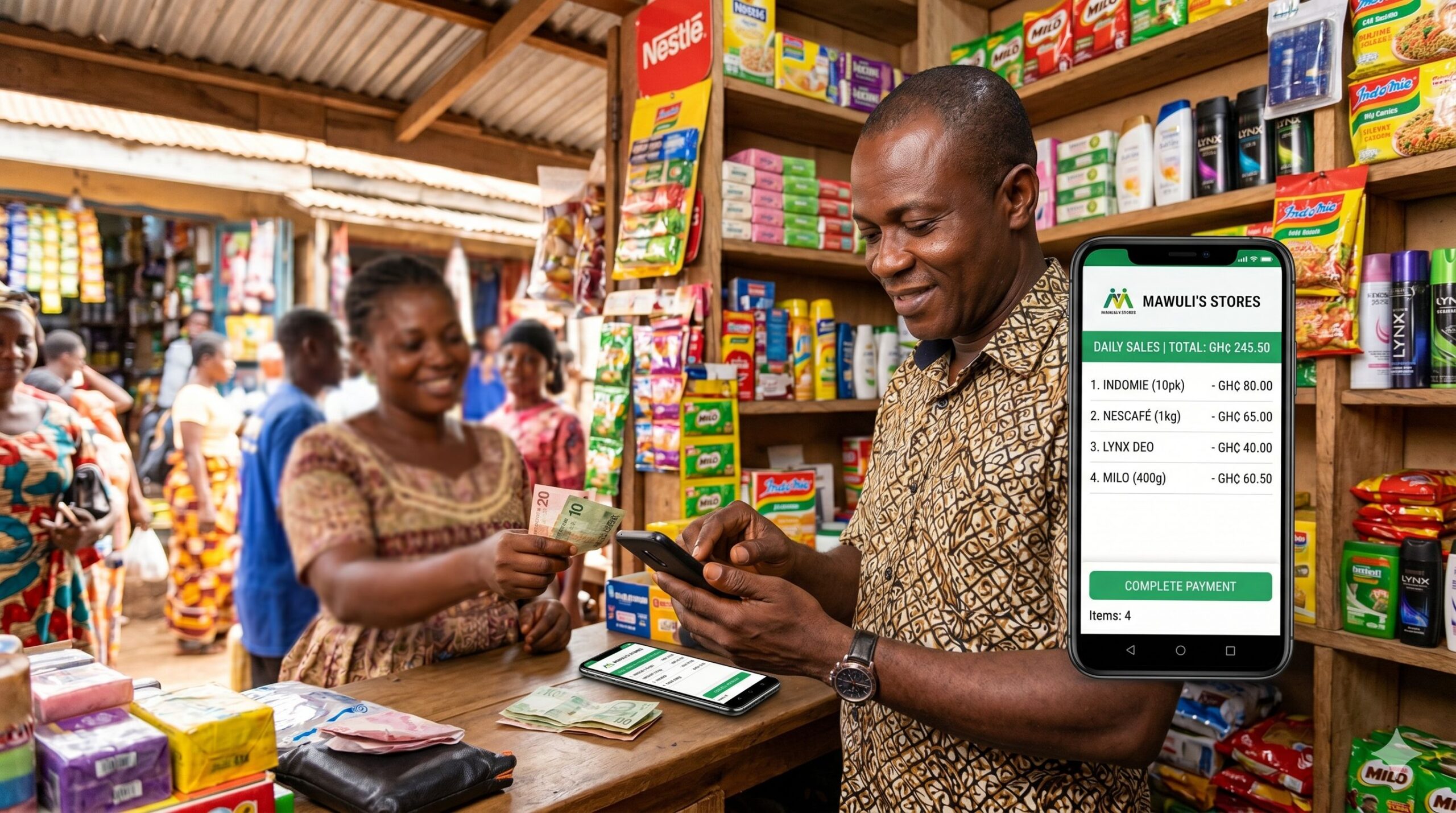
While your checkout is slow, your customer is deciding whether to come back — or not.
A checkout that drags, hesitant change calculation, a scrap of paper as a receipt — the customer notices. Stokimba gives you a complete, fast and professional cash register, directly on your phone.
That’s the problem the Stokimba POS solves — permanently. Not by selling you a bulky machine for 500,000 FCFA. By turning your phone into a complete point of sale.
3 PM — The Reality of Checkout Without Software
Your shop is busy. 3 customers are waiting. You serve the first: you add up mentally, search for the exact amount in your cash drawer, calculate the change, scribble a receipt. 3 minutes later, the second customer is served. The third starts checking his watch.
Sound familiar? Here’s what it’s really costing you:
- 🕐 2–3 minutes lost per customer calculating and finding change — that’s over 4 hours per month for just 5 customers/day
- 🧮 1 calculation error per week — you lose money or upset the customer
- 📄 Lost credibility with every scribbled or missing receipt — the customer questions your professionalism
- 📦 Wrong stock levels after every untracked sale — errors pile up silently
Manual checkout doesn’t just cost you time. It costs you credibility, accuracy and revenue.
3 PM — The Same Day with Stokimba POS
Your shop is busy. 3 customers are waiting. You serve the first: you scan or select the items, the total appears, you select the payment method, the PDF receipt is ready. 8 seconds. The second customer can be served. The third never had time to get impatient.
What Is the Stokimba POS?
The Stokimba POS is a complete point of sale built directly into the app. A single screen — from your phone, tablet or PC — to process sales, generate receipts and keep your stock up to date, automatically.
⚡ Checkout in Under 10 Seconds
Select products or scan their barcodes. The total is calculated instantly. Change is displayed automatically. Process the sale and move to the next customer. Fast, accurate, stress-free.
🧾 Professional PDF Receipt in 1 Click
After every sale, generate a PDF receipt with your shop’s logo, the list of items, the total and the payment method. Send it via WhatsApp in 2 seconds. Your customer has proof. You have an archived document.
📱 Installable App — No App Store Required
Stokimba is a Progressive Web App (PWA). Add it to your phone or tablet home screen with a single tap from your browser. It opens like a real app — lightweight and fast even on 2G or 3G networks.
💰 Mobile Money Payments Tracked Automatically
Orange Money, MTN Mobile Money — select the payment method at checkout. Every mobile transaction is recorded in the history with the network, amount and date. No more manual reconciliation at the end of the month.
🔄 Stock Updated Automatically with Every Sale
You sell, the stock updates. Instantly. Without any action from you. Your inventory stays accurate at all times — and if a product approaches the minimum threshold, an alert fires automatically.
📊 Real-Time Revenue Visibility
At any point in the day, you see your revenue for the day, the number of sales and the payment methods used. At the end of the day, the report is ready — nothing left for you to calculate.
👥 Every Staff Member Checks Out the Same Way
Your staff all use the same Stokimba POS. Every transaction is recorded with the staff member’s name, the date, the items and the amount. No more improvisation, no more unexplained discrepancies.
🏷️ Built-In Discount and Promotion Management
Apply a percentage or fixed-amount discount directly at checkout. The discount is recorded in the transaction and visible in reports. You know exactly how much you’ve given in discounts throughout the day.
Who Is the Stokimba POS For?
👤 The Owner Who Handles Checkout Alone
When you’re alone in your shop, every second saved at checkout matters. The faster you finish with one customer, the faster you can serve the next. Stokimba reduces checkout time to under 10 seconds per transaction.
👥 The Owner With Staff
Your staff make calculation errors. They sometimes give too much change. Receipts are illegible. And stock is never up to date at the end of the day. Stokimba standardises checkout — every staff member works the same way, without errors.
📲 The Owner Who Accepts Mobile Money
Your Orange Money and MTN Mobile Money payments are recorded on your personal phone, in a notebook, or in your memory. At the end of the month, reconciling mobile payments with your sales is a headache. Stokimba records every payment method in the history — automatically.
Stokimba vs. Manual Checkout: The Honest Comparison
| Feature | 🧮 Manual checkout | ✅ Stokimba |
|---|---|---|
| Automatic total calculation | No | Yes — instant |
| Automatic change calculation | No | Yes — shown in real time |
| Professional PDF receipt | No | Yes — 1 click after every sale |
| Share receipt via WhatsApp | No | Yes — directly from the app |
| Installable app (PWA) | No | Yes — mobile, tablet and PC |
| Mobile Money payments tracked | No | Yes — in the checkout history |
| Automatic stock update | No | Yes — with every sale |
| Built-in discount management | No | Yes — % or fixed amount |
| Real-time sales report | No | Yes — daily revenue visible anytime |
| Per-staff traceability | No | Yes — every transaction is identified |
| Complete sales archive | No | Yes — filterable by date and staff |
| Daily PDF report export | No | Yes — 1 click |
The Mobile Money Question: Finally Solved
If you accept Orange Money or MTN Mobile Money in your shop, you know the problem: mobile payments are tracked nowhere in your accounting.
With the Stokimba POS, every Mobile Money payment is recorded with:
- The network used (Orange, MTN, other)
- The exact amount
- The date and time
- The staff member who processed the sale
At the end of the month, export your sales report filtered by payment method. Reconciliation done in 2 minutes — not 2 hours.
Frequently Asked Questions
What devices can I use the Stokimba POS on?
Stokimba works on all your devices: Android or iPhone smartphone, tablet, computer. No need to download from the Play Store — open the site in your browser, then add it to your home screen to access it like a real app. The app is lightweight and works well even on 2G or 3G networks.
How do I process a Mobile Money payment?
When checking out in Stokimba, after selecting the items, choose the payment method: “Cash”, “Orange Mobile Money”, “MTN Mobile Money” or other. The payment is recorded in the history with the exact payment method, amount and date.
How do I generate a professional receipt for my customer?
After recording the sale at checkout, tap “Generate Receipt”. A PDF is created instantly with your shop’s logo, the list of items sold, the total, the payment method and the date. You can send it directly via WhatsApp to the customer.
Is stock updated automatically?
Yes. As soon as a sale is recorded in Stokimba, the quantities sold are automatically deducted from the stock of the corresponding products. If a product’s stock drops below the minimum threshold, an alert is triggered automatically.
Can I apply discounts on a sale?
Yes. At checkout, you can apply a percentage discount (e.g. -10%) or a fixed amount (e.g. -500 FCFA) on a specific item or on the total order. The discount is recorded in the transaction and visible in your reports.
Can I see my revenue in real time?
Yes. On the main Stokimba dashboard, the day’s revenue is displayed in real time and updated with every recorded sale. You also see the number of transactions, the breakdown by payment method and the best-selling products.
How do I manage multiple staff members?
Each staff member logs in with their own Stokimba account. All transactions are recorded with the identity of the staff member who made the sale. At the end of the day, you can filter sales reports by staff member to see the revenue generated by each one.
How do I export the sales report?
In the Reports section of Stokimba, select the desired period (day, week, month) and click “Export PDF”. You get a complete report with all sales, payment methods, discounts applied and total revenue. Ideal for your accountant.
Which Plan Includes the POS?
The POS is available from the free plan with basic features. Advanced features (PDF export, discounts, per-staff reports) are available from the Starter plan.
👉 See Stokimba plans and pricing
Conclusion: Every Well-Processed Sale Is a Sale That Builds Your Business
In African retail, checkout speed and receipt professionalism are powerful trust signals. The customer who receives a clean PDF receipt, with your shop’s logo — that customer trusts you. They come back. They recommend you.
The Stokimba POS turns every transaction into a professional customer experience, while keeping your stock accurate and your accounting clean.
Try Stokimba for free today.
Prêt à simplifier votre gestion de stock ?
Rejoignez des milliers de commerçants en Afrique qui utilisent Stokimba au quotidien. Gratuit pour démarrer.